
Microsoldering & Reballing: Chip-Level Repair Explained
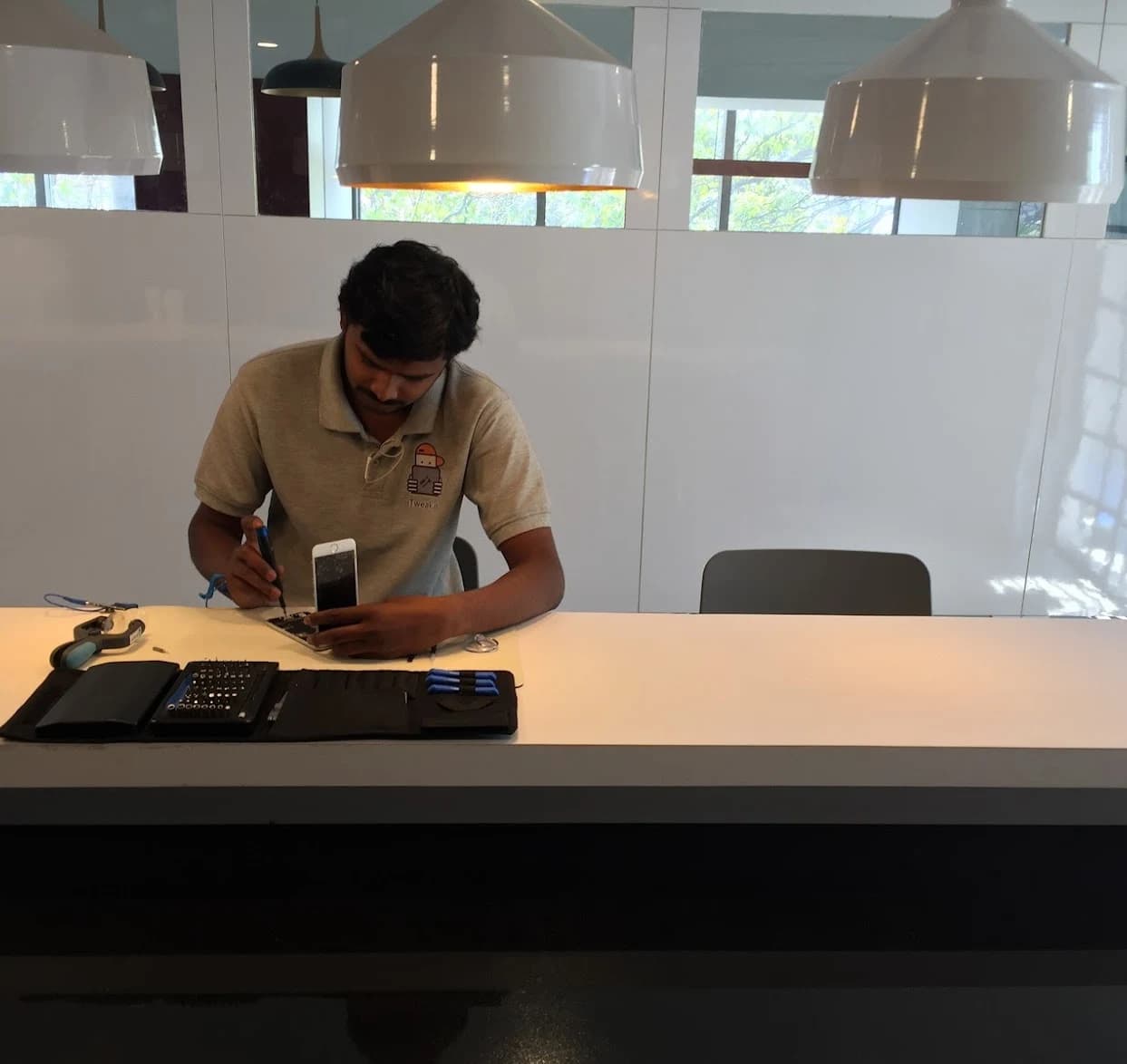
What microsoldering actually is
Every smartphone, tablet and laptop is built around a motherboard (Indian customers say "motherboard"; Apple's own term is "logic board" — they are the same thing). On that board sit hundreds of tiny components: power-management chips, the charging IC, audio and display ICs, the NAND flash that holds your data, plus a forest of resistors, capacitors and diodes. Many are smaller than 1mm across. When one fails, the whole device can go dark, refuse to charge, lose its display, or boot-loop.
Standard "module" or assembly-level repair stops at swapping whole parts — a screen, a battery, a charging-port flex. Microsoldering goes a level deeper. It works on the board itself, removing and replacing the individual failed component while leaving the rest of the motherboard — and the NAND that stores your photos, chats and apps — untouched.
Two things make it hard. First, scale: the work is done at roughly 10x to 40x magnification under a stereo microscope because the parts and their solder joints are invisible to the naked eye. Second, heat: most of these chips are soldered with lead-free alloys that flow around 217-220C, and the boards are densely packed, so applying enough heat to one component without cooking its neighbours is a genuine skill. A microsoldering technician is, in effect, a surgeon working on a circuit.
The microsoldering toolkit
Chip-level repair is impossible without the right bench. None of these tools is exotic, but each one matters, and cheap versions of any of them ruin boards. Here is what a real microsoldering station looks like and why each piece is there.
- Stereo microscope (typically 7x-45x zoom): the single most important tool. You cannot fix what you cannot see, and most failures hide as a hairline crack or a faint corrosion bloom on a sub-millimetre joint.
- Hot-air rework station: delivers a controlled stream of hot air to melt the solder under a chip so it can be lifted off and a new one set down. Airflow and temperature are both adjustable; getting them wrong lifts pads or warps the board.
- Fine-tip soldering iron (often with knife and bent tips): for hand-soldering individual resistors, capacitors and jumper wires, sometimes on pads thinner than a hair.
- DC bench power supply: feeds the board a controlled voltage while watching current draw. A short circuit shows up instantly as abnormal current — a dead-short reads as the supply slamming to its current limit at near-zero volts.
- Thermal/IR camera or freeze spray: a shorted component gets hot. A thermal camera (or a puff of freeze spray that evaporates fastest over the hot part) physically points to the faulty chip.
- Multimeter with diode mode: for measuring resistance-to-ground on rails and checking diode values against a known-good board to spot the failed part.
- Ultrasonic cleaner and isopropyl alcohol (IPA): for lifting corrosion and flux residue, essential in liquid-damage work. The board is bathed in IPA in an ultrasonic tank to clean contamination out from under chips.
- BGA reballing stencils, leaded/lead-free solder balls, flux paste and desoldering braid: the consumables for reballing (explained next) and for cleaning pads between removal and reinstallation.
BGA and reballing, explained properly
BGA stands for Ball Grid Array. It is a way of attaching a chip to a board: instead of legs sticking out of the sides, the chip has a grid of tiny solder balls on its underside — sometimes dozens, sometimes hundreds. When the chip is heated and pressed onto matching pads on the board, those balls melt and form the electrical and mechanical connection. Almost every important chip in a modern phone or laptop — the processor, the PMIC, the NAND, the graphics chip in a MacBook — is a BGA package, sitting flat against the board with all its connections underneath where you cannot see or probe them.
Reballing is the process of giving a BGA chip a fresh set of solder balls. When a chip is removed for testing or transfer, its old balls are messy and uneven; you cannot simply set it back down. The technician cleans the old solder off both the chip and the board pads, then uses a stencil — a thin metal sheet with a hole over each ball position — to deposit new, perfectly sized solder balls onto the chip. The chip is then reflowed back onto the board.
Why does reballing come up so often? Two reasons. One: many faults are not the chip itself but a cracked or fatigued solder joint underneath it — common after drops or thermal stress (the classic MacBook GPU failures of years past were BGA joint failures). Reballing and reseating restores the connection. Two: when the data-holding NAND chip has to be moved to a donor board, or a CPU and NAND pairing has to be preserved, the chip must be reballed to be reinstalled cleanly. Reballing is a technique inside microsoldering, not a separate trade — but it is the technique that decides whether a board-level repair succeeds or fails.
One honest caveat: a pure "reflow" (just heating a chip to remelt its existing joints, with no new balls) is a temporary fix at best and is not the same as reballing. Reputable shops reball; they do not just bake a board and hope.
The most common chip-level repairs
The same handful of failures account for the bulk of board-level work. Knowing them helps you recognise when a symptom points to chip-level repair rather than a simple part swap.
Charging IC failures are the number-one reason phones come in "dead" or "won't charge". On iPhones the charging and USB control circuitry has well-known names — the Tristar/Tigris family and the U2 charging IC across various generations — and these fail from cheap chargers, bent connectors, liquid, and voltage spikes. Symptoms: no charging, intermittent charging, not recognised by a computer, or a board that draws no current at all. Replacing this single IC often revives a phone that another shop quoted for a full board.
PMIC (Power Management IC) failures are the next big category. The PMIC is the board's power distributor, generating the many voltage rails the rest of the chips need. A failed PMIC means no boot, boot-loops, rapid battery drain, or a board that gets hot and shuts down. It is a fine BGA replacement job and a textbook chip-level repair.
Backlight circuit faults (the backlight boost circuit — its coil, diode, and the backlight driver/filter) cause the "dark screen": the phone is on, you can faintly see the image at an angle or under torchlight, but there is no backlight. This often follows a screen replacement that disturbed the backlight filter, or liquid damage. It is repaired by replacing a few tiny components, not the whole board.
NAND faults are the most data-critical. The NAND flash chip holds your operating system and all your data. NAND failures cause boot-loops, storage errors, or a device stuck on the logo. NAND work — repair, reballing, or transfer to a donor board — is the most delicate microsoldering of all, because the goal is usually to recover the data, not just power on.
Audio IC, display/touch IC, and liquid-damage corrosion round out the list. Liquid damage in particular is rarely "one part" — it is corrosion creeping under multiple chips, which is why it needs ultrasonic cleaning plus targeted component replacement.
| Failed component | Typical symptom | What a board-swap shop replaces | Approx. India market range (INR)* |
|---|---|---|---|
| Charging IC (Tristar/Tigris/U2) | No charge, not recognised, dead board | Whole motherboard | 2,500 - 6,000 |
| PMIC (power management) | No boot, boot-loop, overheating | Whole motherboard | 3,500 - 8,000 |
| Backlight circuit | Dark screen, image only under torchlight | Whole display and/or board | 2,000 - 4,500 |
| NAND (data chip) | Boot-loop, stuck on logo, storage error | New board + total data loss | 6,000 - 15,000+ |
| Liquid-damage corrosion | Intermittent faults, won't power on | Written off as dead | 4,000 - 12,000 |
Why chip-level repair saves your data and your money
The economic argument is simple. A full motherboard replacement on a modern iPhone or MacBook can cost more than half the price of the device, and on many models genuine boards are not even sold separately. A targeted chip-level repair replaces a part that costs a few hundred rupees plus skilled labour, often landing at a quarter to a third of the board-swap quote. The INR figures in the table above are approximate market-survey ranges meant to set expectations, not a quote — your actual price depends on the exact model and fault, and iTweak shows you the confirmed fault before you pay.
The data argument matters even more. When a shop swaps a whole motherboard, your NAND goes with the old board — meaning every photo, message and app that was not backed up to iCloud or Google is gone. Chip-level repair fixes the failed component while leaving your NAND in place, so your data survives the repair. For NAND faults specifically, microsoldering is often the only path to recovering data at all.
There is a sustainability angle too, and it is real. A single failed chip worth a few rupees can otherwise send an entire device to e-waste. Board-level repair is the "last mile" that keeps a recoverable machine out of the landfill. This is the same problem the wider right-to-repair movement is built around.
How a board-level diagnosis actually works
The repair itself — lifting a chip, reballing, reseating — is the visible, dramatic part. But the slow, decisive half of microsoldering is diagnosis: out of hundreds of components, which one failed? A good board-level workflow is methodical, and it looks roughly like this.
- Intake and history: what happened (drop, liquid, bad charger, sudden death), because the cause narrows the suspect list immediately.
- Visual inspection under the microscope: looking for corrosion, burn marks, cracked joints, missing or tombstoned components.
- Power-supply test: feeding the board controlled voltage and watching current draw. Zero current suggests an open or dead rail; excessive current means a short to ground.
- Short detection: using thermal imaging or freeze spray to find the component that heats up, plus measuring resistance-to-ground on each rail and comparing against known-good values.
- Schematic and boardview tracing: following the failed rail back through the board's power tree to find which chip is pulling it down or failing to bring it up — this is where the boot sequence (which rail comes up first, then next) tells you where the chain breaks.
- Confirm, then repair: only once the specific failed component is identified is the iron or hot-air station brought out. iTweak runs an 80-point diagnostic and, on misdiagnosis, offers 100% money-back — because being sure before you cut is the whole game.
Where AI-assisted diagnosis fits in
The hardest part of that diagnosis — tracing a dead rail back through a dense board's power tree, recalling which chip on this exact model is the usual culprit — is where AI-assisted tools have started to genuinely help. iTweak uses AI-assisted diagnostics as one input alongside our technicians' own measurements and microscope work; it speeds up the reasoning, it does not replace the bench.
A notable example in this space is Wrench Board, a source-available diagnostic workbench (it is source-available, not open source) built by a microsoldering technician, Alexis Chapellier. It ingests a device's schematic PDF and boardview file and builds an electrical model of that exact board, then runs a diagnostic agent (powered by Claude Opus 4.8) that the technician can ask questions of in plain language. Two of its parts are worth understanding because they mirror good bench practice: a deterministic simulator that predicts "if this chip dies, the board blocks at this boot phase", and a reverse hypothesizer that takes your measurements ("the 3.3V rail is dead, this chip is alive") and lists the components that could explain them — and tells you what to probe next to narrow it down fastest. Crucially, it is built so the AI cannot invent a component name: every reference designator it names is checked against the actual parsed board, and a sanitizer flags anything it cannot verify before the text reaches the screen.
"It sees the board" is accurate but specific: a technician plugs in a USB microscope and frames the shot, and the tool can request that camera frame — it is technician-initiated capture, not an autonomous camera roaming the board. And when people say such tools "improve from real repairs", that means the system recalls confirmed field reports for a given device and tunes its own deterministic engine overnight against a fixed, human-curated test set — it is not training the underlying AI model on customer data. A focused knowledge pack builds in roughly two minutes; a full pack that ingests a dense schematic can take 15 minutes or more.
For accuracy and fairness: Wrench Board placed 2nd in Anthropic's "Build with Opus 4.7" hackathon (April 2026). That achievement belongs to Wrench Board and Alexis Chapellier. iTweak did not build the tool, did not enter the hackathon, and is not affiliated with Anthropic or with the team behind Wrench Board — we simply use AI-assisted diagnostics in our own work, the way a workshop uses any good instrument.
What to look for in a microsoldering service
Board-level repair is unregulated and skill-dependent, so the shop you choose matters more than for a screen swap. Use this checklist before you hand over a device.
- Real microscope work and a proper rework station — ask to see the bench, or look for it in their workshop photos.
- Reballing, not just reflow: a shop that "bakes" boards and hopes is offering a temporary fix.
- See-the-fault-before-you-pay: a credible shop will show you the actual failed component or measurement, not just hand you a bill.
- A written diagnostic process and a money-back policy on misdiagnosis — iTweak runs an 80-point diagnostic and offers 100% money-back if we get the diagnosis wrong.
- Data-handling clarity, especially for NAND work — confirm whether your data is preserved or at risk before work begins.
- Warranty on the repair: iTweak offers up to one year, which is rare in board-level work and signals confidence in the joint quality.
- Track record: iTweak has repaired since 2010 and done board-level micro-soldering since 2012, is ISO 9001:2015 certified, and offers free pan-India insured pickup with a digital invoice.
Frequently asked questions
Quick, honest answers to the questions we hear most about chip-level repair.
- Is microsoldering the same as reballing? No. Microsoldering is the whole craft of board-level component repair. Reballing is one technique within it — giving a BGA chip a fresh grid of solder balls so it can be reseated cleanly.
- Will I lose my data? Usually not. The point of chip-level repair is to fix the failed component while leaving your NAND (which holds your data) in place. For NAND faults specifically, microsoldering is often the only way to recover data at all — but always back up to iCloud or Google when you can.
- Is a chip-level repair permanent? A correctly reballed and reseated chip is a permanent repair, which is why iTweak can offer up to a one-year warranty. A mere reflow (reheating old joints with no new solder) is temporary — insist on reballing.
- Why is it cheaper than replacing the motherboard? Because it replaces a part worth a few hundred rupees instead of a whole board worth more than half the device — often landing at a quarter to a third of the board-swap price. The INR ranges here are approximate market figures, not a quote.
- Does AI do the repair now? No. AI-assisted diagnosis can speed up finding the fault — tracing rails, recalling common failures, suggesting the next probe — but a human technician does every cut, every reball, and every measurement. The iron stays in human hands.
- Can any phone or laptop be repaired this way? Most can, as long as the failure is a recoverable component fault and not catastrophic physical destruction. The only way to know for sure is a proper diagnostic — which is why iTweak diagnoses first and backs it with 100% money-back on misdiagnosis.
Get it fixed
More board-level repair guides
The rest of our deep-dive series on board-level repair and AI-assisted diagnostics.
- iPhone Not Charging? Port, Battery or Charging IC
- iPhone Won't Turn On? Boot-Loop & Board-Level Diagnosis
- AI, Microsoldering and the Right to Repair
- Wrench Board: the AI workbench bringing Claude Opus to board-level repair
- Motherboard Repair Explained: What It Fixes & When Worth It
- Boardview Software: ZXW, WuXinJi, OpenBoardView & AI
Related guides & repairs
Ready to fix it? See our phone repair service. Browse every Other brands repair-cost guide.