
Bypass iCloud Activation Lock or EFI Lock in MacBook with M1 or T2 Chip
Rishab Bruno
Updated: November 18, 2025
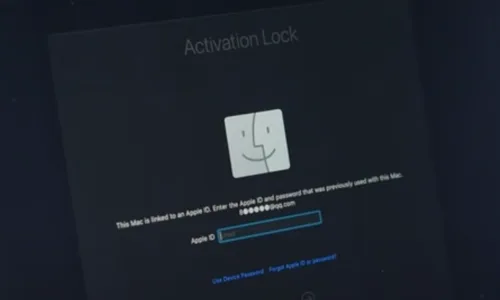
If you have forgotten your Apple ID password and device passcode after enabling activation lock, you cannot turn off Find My, erase your Mac, or reactivate and use it. The activation lock appears on the system activation screen after you restore the MacBook — an Apple security feature on MacBooks from 2018 onward with the M1 or T2 chip. Luckily, there is a way to bypass the lock even after forgetting your Apple ID password and passcode. This is expert work: it involves micro-soldering on the motherboard and reprogramming the controller chip. The same repair applies if you have forgotten the firmware password (EFI lock).
How to bypass iCloud activation lock or EFI lock on an M1 / T2 MacBook
The lock data is held by the T2 (or M1) security controller, so the bypass is a board-level repair, not a software trick:
- Desolder and remove the T2 chip from the MacBook motherboard.
- Reprogram the T2 chip with a programmer and write the unlock data.
- Solder the T2 chip back onto the motherboard once programming is complete.
- The MacBook will be in DFU mode and won't power on — connect it to another Mac and restore it with Apple Configurator.
- Use a T203 flash drive to read the MacBook data and bypass the activation lock, then reinstall macOS. The activation lock is now removed.
Get expert help
Because this is micro-soldering and chip-level reprogramming, it should only be attempted by an experienced technician — a mistake can permanently damage the logic board.
Contact iTweak to unlock a MacBook with an activation or EFI lock. You can ship your MacBook to us via Blue Dart or visit one of our service centers.
Related guides & repairs
Ready to fix it? See our MacBook repair service. Browse every Apple repair-cost guide.